A lightweight tool for basic video watermark removal

Video Watermark Remover by 4dots Software offers a focused way to eliminate unwanted elements from videos, including logos, timestamps, or subtitles. The app uses manual input to define the watermark’s area and timing, applying blur or mosaic effects to mask it. Designed for simplicity, the tool works best for users dealing with static overlays in familiar formats like MP4, AVI, and MOV.

Top Recommended Alternative

With its clear interface and straightforward controls, the software supports drag-and-drop importing, coordinate-based positioning, and even batch watermark removal across different videos or time ranges. However, users looking for advanced editing options or AI-based detection may find the tool too limited for more complex needs.

How does Video Watermark Remover perform?

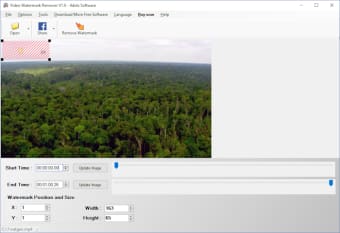
The removal process centers on selecting the watermark’s start and end time, then defining its position and size on the video. Users can choose from Delogo, Gaussian Blur, or Mosaic methods, each offering different degrees of masking and visual softness. This flexibility helps retain basic video quality while hiding the watermark as cleanly as possible—especially on static backgrounds, video corners, or lower thirds commonly used in watermarked content.

The app supports standard video formats and handles most watermark types as long as they remain in one place. There's also support for removing multiple instances of watermarks in a single file, including repeated timestamps or persistent logos. However, it struggles with transparent overlays or animated watermarks, which can leave behind visual artifacts depending on the complexity of the scene.

While the program claims to support batch processing, it’s best suited for simple workloads with few variations. There are no timeline previews or AI suggestions; everything is done manually. It also lacks features like undo, file compression, or format conversion, focusing instead on pure removal. Still, for quick edits or old clips, it provides a reliable offline solution with minimal setup.

Straightforward and best for simple tasks

Video Watermark Remover gets the job done for users needing quick, no-frills watermark removal. Its success depends heavily on the watermark’s location and complexity, but for static overlays, it delivers a solid result. Those handling more advanced video work may want additional tools, but as a lightweight utility, it offers just enough for casual use.


  • Pros

    • Manual control over watermark position and timing
    • Multiple removal methods: blur, mosaic, delogo
    • Drag-and-drop and batch support
    • Compatible with MP4, AVI, MOV, and more
  • Cons

    • No smart detection or preview tools
    • Struggles with animated or transparent watermarks
 0/1

App specs

  • License

    Trial version

  • Version

    1.0

  • Latest update

  • Platform

    Windows

    Other platforms (1)
  • OS

    Windows 8

  • Language

    English

    Available languages

    • Arabic
    • Czech
    • Danish
    • German
    • Greek
    • English
    • Finnish
    • French
    • Italian
    • Japanese
    • Korean
    • Dutch
    • Norwegian
    • Polish
    • Portuguese
    • Russian
    • Swedish
    • Turkish
  • Downloads

    2.8K

    Last month's downloads

    • 6
  • Size

    16.43 MB

  • Developer

Also available in other platforms

Program available in other languages


Icon of program: Video Watermark Remover

Video Watermark Remover for PC

  • Trial version
  • 1
    3
  • 2.8K
  • V1.0

User reviews about Video Watermark Remover

Have you tried Video Watermark Remover? Be the first to leave your opinion!

Add review

You may also like

Alternatives to Video Watermark Remover

Explore Apps

Latest articles

Laws concerning the use of this software vary from country to country. We do not encourage or condone the use of this program if it is in violation of these laws.
Softonic

Is Video Watermark Remover safe?

94/100

Score result: Warning

This file has been flagged as potentially harmful or containing unwanted bundled software. Please proceed with caution.

  • Virus free
  • Spyware free
  • Malware free
  • Verified by Security Partners

    VirusTotal logo

Scan Info

Last scan
Sunday, December 3, 2023
Scan provider
VirusTotal · Full report

File Integrity

File
VideoWatermarkRemoverSetup.exe
SHA256
c03c1c8ddee333f949b3beaaa52e1574ec7d903e0dfc8359e27a4ca7e837bdb3
SHA1
511a6b651ea0093717a41c197f9614d0775eec3c

Softonic security notice

This software has been thoroughly scanned by our advanced security systems and verified by industry-leading partners. However, one or more antivirus engines have flagged this software with potential risks. While these detections may be false positives, we recommend caution when downloading and installing. Some programs may include unwanted software or behaviors that could affect your device. False positives can occur when safe software is mistakenly flagged as harmful due to overly cautious detection rules or algorithms in antivirus tools. This means the program may still be safe to use, but we advise reviewing the details before proceeding.